Renaming a Folder

To rename a folder with Webmail, follow the directions below:

1. Right-click on the email folder you wish to rename.
2. Click the Edit link for the folder you want to rename.
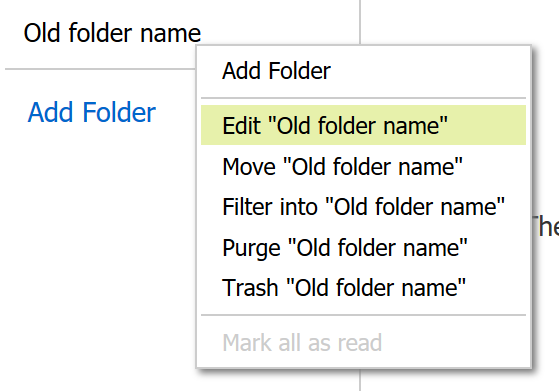
Editing an folder in Webmail

3. Enter a new name in the "Name of Folder" box.
4. Click the Save button.

  • 11 utilizatori au considerat informația utilă

Răspunsul a fost util?

Articole similare

Webmail keyboard shortcuts

When you login to Webmail, your premium webmail account includes various keyboard shortcuts....

Moving an Email into a Folder

To move an email into another folder, click and drag the email from the email list to a folder in...

Displaying and Hiding the Full Header

Every email you receive contains various lines of metadata, known as headers, that provide...

Using Advanced Search in Webmail

To search for an email using the advanced search tool: Click the Advanced link, which appears...

Automatically forward email to another email account

You can use the email forwarding feature to send incoming email to an external email account by...