Renaming a Folder

To rename a folder with Webmail, follow the directions below:

1. Right-click on the email folder you wish to rename.
2. Click the Edit link for the folder you want to rename.
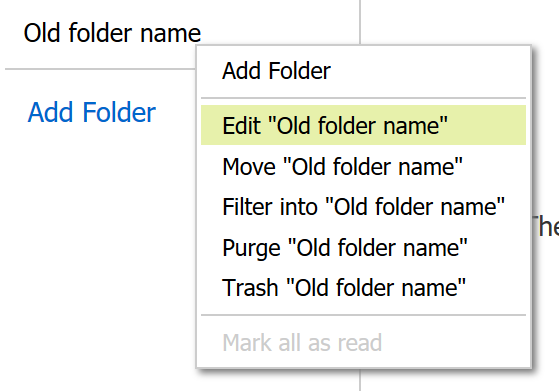
Editing an folder in Webmail

3. Enter a new name in the "Name of Folder" box.
4. Click the Save button.

  • 11 Uživatelům pomohlo
Byla tato odpověď nápomocná?

Související články

I'm having issues composing messages in Webmail

If you're having issues composing mail in Webmail, there are a few things you can try: Make...

I am unable to log in to Webmail

If you are still unable to access Webmail, try the following troubleshooting steps: Verify the...

Webmail keyboard shortcuts

When you login to Webmail, your premium webmail account includes various keyboard shortcuts....

Setup SMS password reset for Webmail

Email password resets for Webmail require SMS verification or Multi-Factor Authentication. If you...

Searching for an Email

When you are in an email folder (Inbox, Drafts, Sent, etc.), the Search box will appear above the...
