Renaming a Folder

To rename a folder with Webmail, follow the directions below:

1. Right-click on the email folder you wish to rename.
2. Click the Edit link for the folder you want to rename.
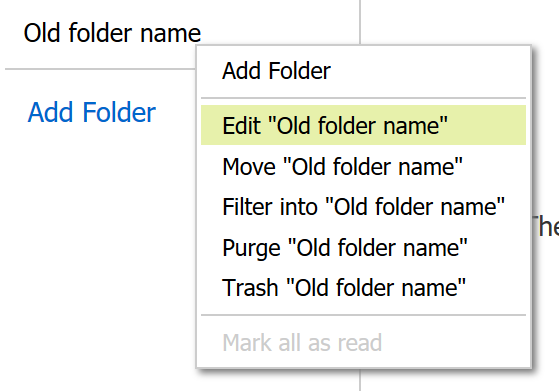
Editing an folder in Webmail

3. Enter a new name in the "Name of Folder" box.
4. Click the Save button.

  • 11 Els usuaris han Trobat Això Útil
Ha estat útil la resposta?

Articles Relacionats

I am unable to log in to Webmail

If you are still unable to access Webmail, try the following troubleshooting steps: Verify the...

Webmail keyboard shortcuts

When you login to Webmail, your premium webmail account includes various keyboard shortcuts....

Moving an Email into a Folder

To move an email into another folder, click and drag the email from the email list to a folder in...

How can I access Webmail settings?

You can access Webmail settings of your Premium Email account by logging into Webmail:...

Indicating Email Priority

Email priority refers to the level of importance that you assign to an email message that you...
