
All your conversations, all in one place
Why juggle multiple apps for email, chat, and video meetings? We’ve integrated seamless communication tools directly into your Webmail, so you can collaborate securely and efficiently without ever leaving your inbox.
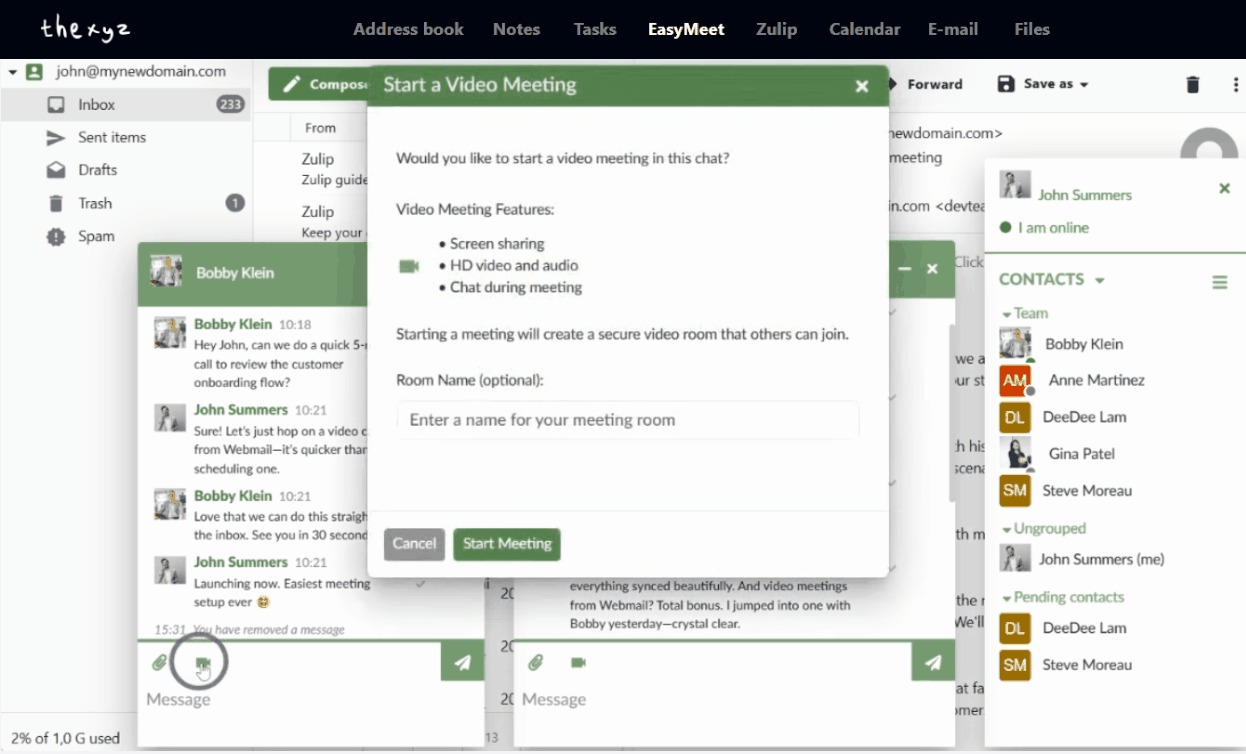
What you get with Thexyz
Secure Chat
Message, share files, retract, and edit sent messages directly from your inbox without opening a new app.
HD Meetings
Host professional meetings with screen sharing, lobby controls, passwords, and call recording capabilities.
Chat that just works
Connect with colleagues one-on-one directly from your Webmail. Our integrated chat is designed for secure and effortless communication.
Completely Secure
Chat with confidence with strong encryption and privacy-first defaults.
Connect Your Way
Use your favorite desktop or mobile XMPP apps (like Thunderbird or eM Client).
Speak Your Language
The Webmail and chat interface is translated into over 30 languages, making it easy for global teams.
Host professional, secure meetings
Launch crystal-clear HD video calls directly from your Webmail. It’s never been easier to go from an email to a face-to-face conversation.
Full-Featured Meetings
Share your screen, chat during the call, and record your sessions for later.
- Pre-meeting lobby for guest approval
- Moderator controls
- Password protection
- One click to start/join
- No downloads
- No new logins
Why this is better than “yet another app”
Stay in your inbox
Go from email to chat to video meeting without switching tools or losing context.
Privacy-first by design
Built for secure collaboration—without ad tracking, data mining, or selling your data.
Works with your workflow
Use our webmail interface or connect via XMPP apps. Your team chooses what’s easiest.
Frequently Asked Questions
Quick answers about chat and meetings inside Thexyz Webmail.

Build Your Ideal Email Setup
From secure messaging to team collaboration, explore all Thexyz email features in one place.
