
A strong and secure password is an essential component of protecting your online accounts, including your webmail account. However, as security best practices evolve, it's a good idea to periodically change your password to ensure that your accounts remain protected. In this knowledge base guide, we will walk you through the steps of changing your webmail password, so you can keep your email account secure and protected from unauthorized access. If you have forgotten your password or having trouble signing in, please see Password Help.
You can change your email password by logging into webmail: https://webmail.thexyz.com
Then at the top right of the page, click the icon: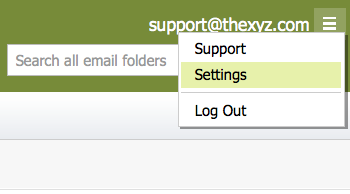
Click Change Password in the left menu, enter your current and new password and then confirm your new password.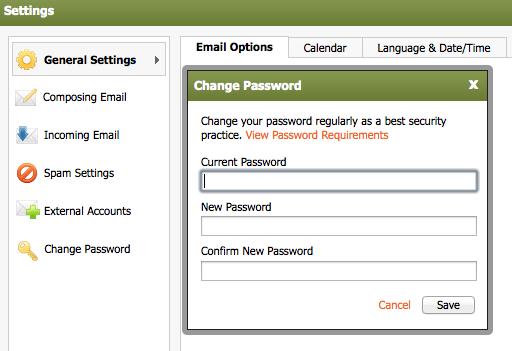
Click the Save button. You will see a confirmation message, indicating that your new password was successfully changed and that webmail needs to reload.
5. Close any open webmail windows and click the OK button. You will then have to log back into webmail.
Passwords cannot contain:
- The word “password”.
- The mailbox user name.
- The mailbox domain name.
Passwords must contain:
- At least 8 characters.
- At least 3 of the following: lowercase letter, an uppercase letter, number, special character.
