How can I change the Time Zone in Webmail?

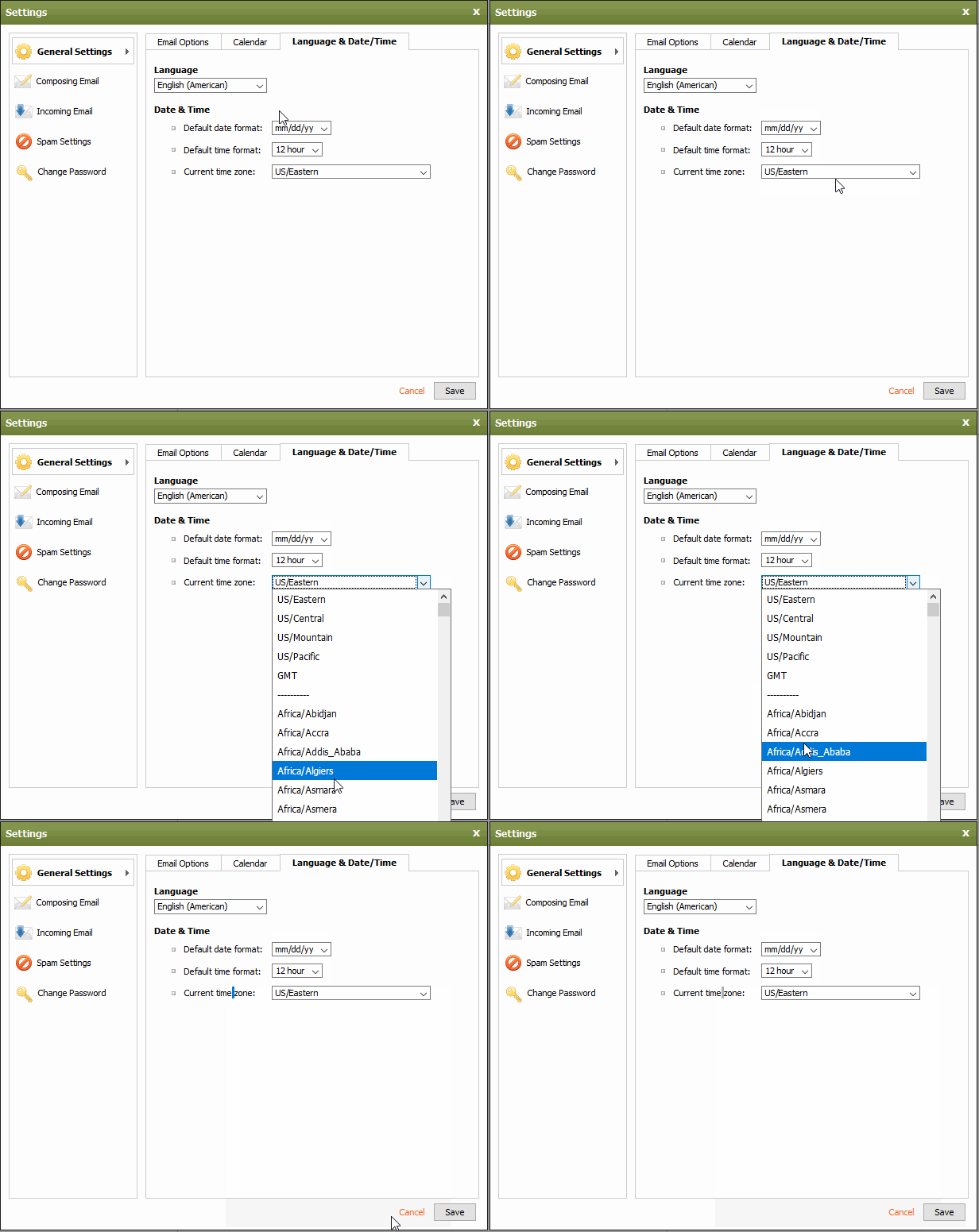
You can edit your time zone settings by logging into Webmail: https://webmail.thexyz.com

Then at the top right of the page, click the icon:

Then navigate to General Settings >> Language/Date and Time
  • 12 کاربر این را مفید یافتند
آیا این پاسخ به شما کمک کرد؟

مقالات مربوطه

I am unable to log in to Webmail

If you are still unable to access Webmail, try the following troubleshooting steps: Verify the...

Webmail keyboard shortcuts

When you login to Webmail, your premium webmail account includes various keyboard shortcuts....

Moving an Email into a Folder

To move an email into another folder, click and drag the email from the email list to a folder in...

How can I access Webmail settings?

You can access Webmail settings of your Premium Email account by logging into Webmail:...

Renaming a Folder

To rename a folder with Webmail, follow the directions below:1. Right-click on the email folder...
