
Create an Email Signature in Webmail
Adding a professional email signature helps build trust and makes your emails look more polished. You can create multiple signatures and choose which one to use when sending messages.
If you would like an easy way to generate a modern HTML signature with logos, social links, and mobile-friendly formatting, you can use our free generator: Sigly.net Email Signature Generator
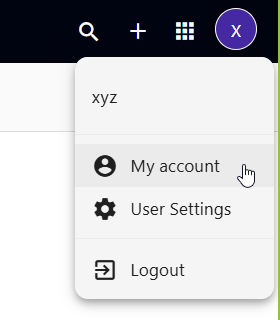
Step 1: Open My Account Settings
- Click your profile image in the top-right corner of Webmail.
- Select My Account from the menu.
Step 2: Create a New Signature Template
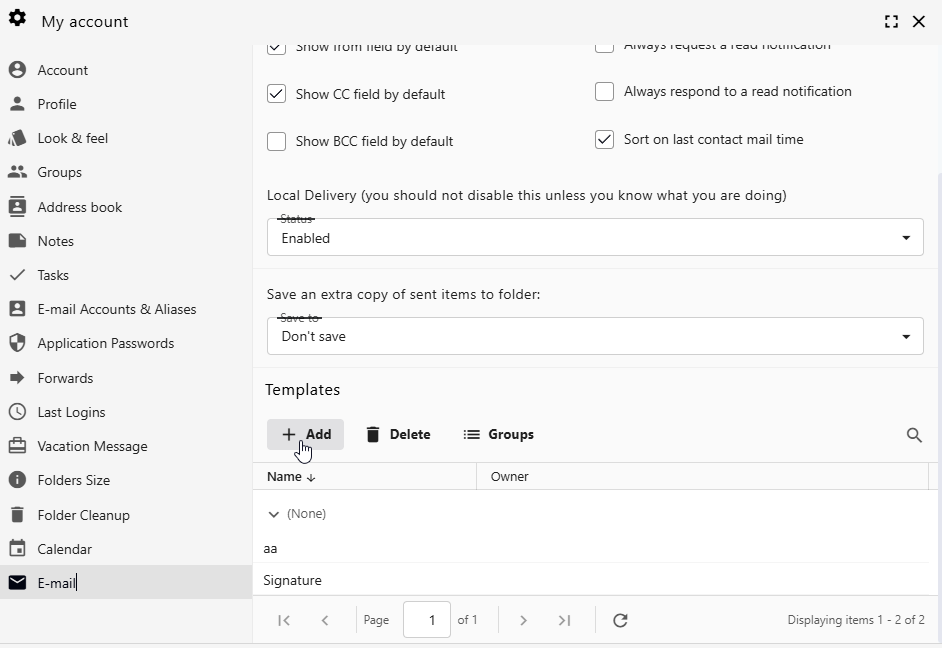
- From the left menu, click the Email tab.
- Scroll down to the Templates section.
- Click Add to create a new signature template.
Step 3: Design Your Signature
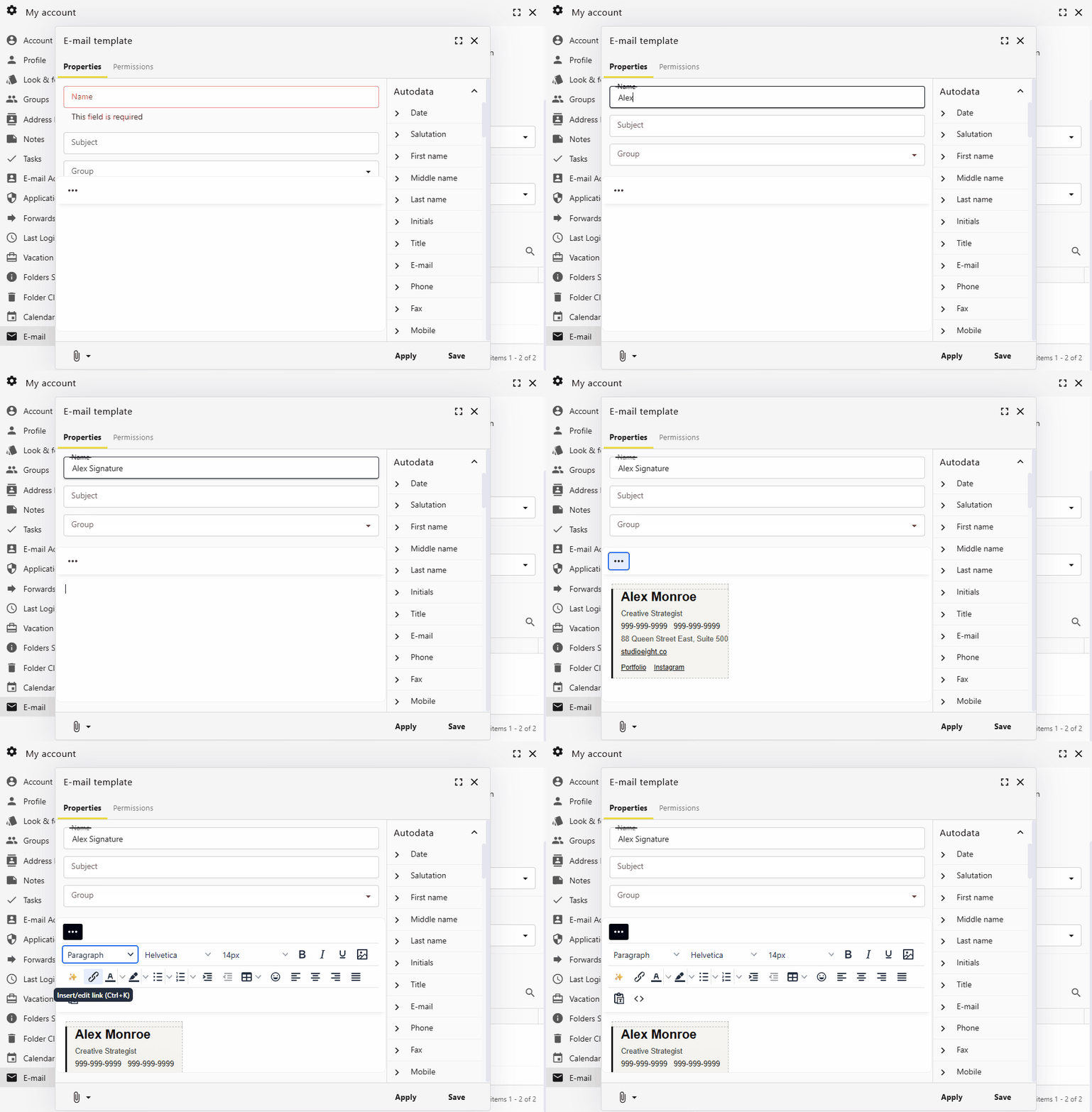
- Enter a Name for your signature (example: Work Signature).
- Create your signature content in the editor.
- You can paste logos, images, links, and formatted text.
- To edit the HTML source code, click the three dots menu in the editor.
- Use the Autodata panel on the right to insert dynamic values like:
- Name
- Email address
- Phone number
- Job title
- Click Save when finished.
Step 4: Use or Set Your Signature as Default
- Open a new message by clicking Compose.
- Click the Templates icon (last icon before the three-dots menu).
- Select the signature you want to insert.
- To make it automatic for all emails, choose Set current template as default for this email account.
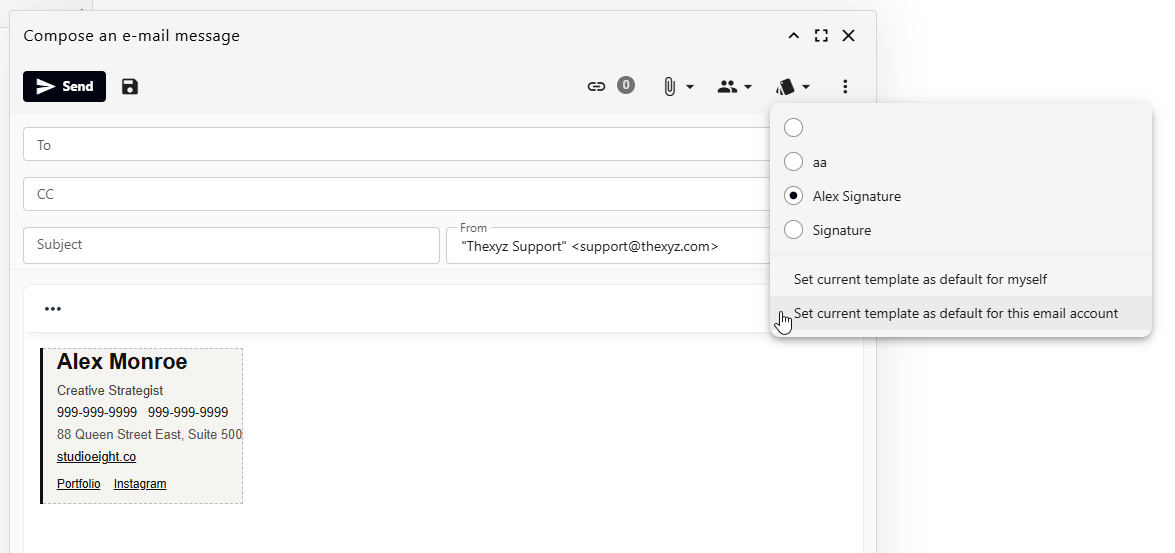
Once set, your signature will automatically appear in new messages.
Frequently Asked Questions
Can I create multiple signatures?
Yes. You can create different signatures for work, personal use, or marketing campaigns and choose between them when composing an email.
Why is my logo not showing?
Make sure the image is hosted online (not just pasted from your computer), or use an HTML signature generated from tools like Sigly.net which automatically host images properly.
Can I add social media links?
Yes. You can insert clickable links or icons for LinkedIn, Instagram, websites, and more.
Can I change my default signature later?
Yes. Simply open a new message, load another template, and set it as the default.
Will my signature show on replies and forwards?
Yes. By default, signatures appear on new emails and can also appear on replies depending on your Webmail settings.
Is there an easier way to design a signature?
Yes. You can use the free Sigly.net Email Signature Generator to create a professional signature in seconds and then paste it into Webmail.
