
Team chat that stays as organized as your inbox
Most chat tools feel like a firehose: fast, noisy, and impossible to search later. Zulip flips that. Every message has a stream (where it belongs) and a topic (what it’s about), so conversations stay readable—even weeks later.
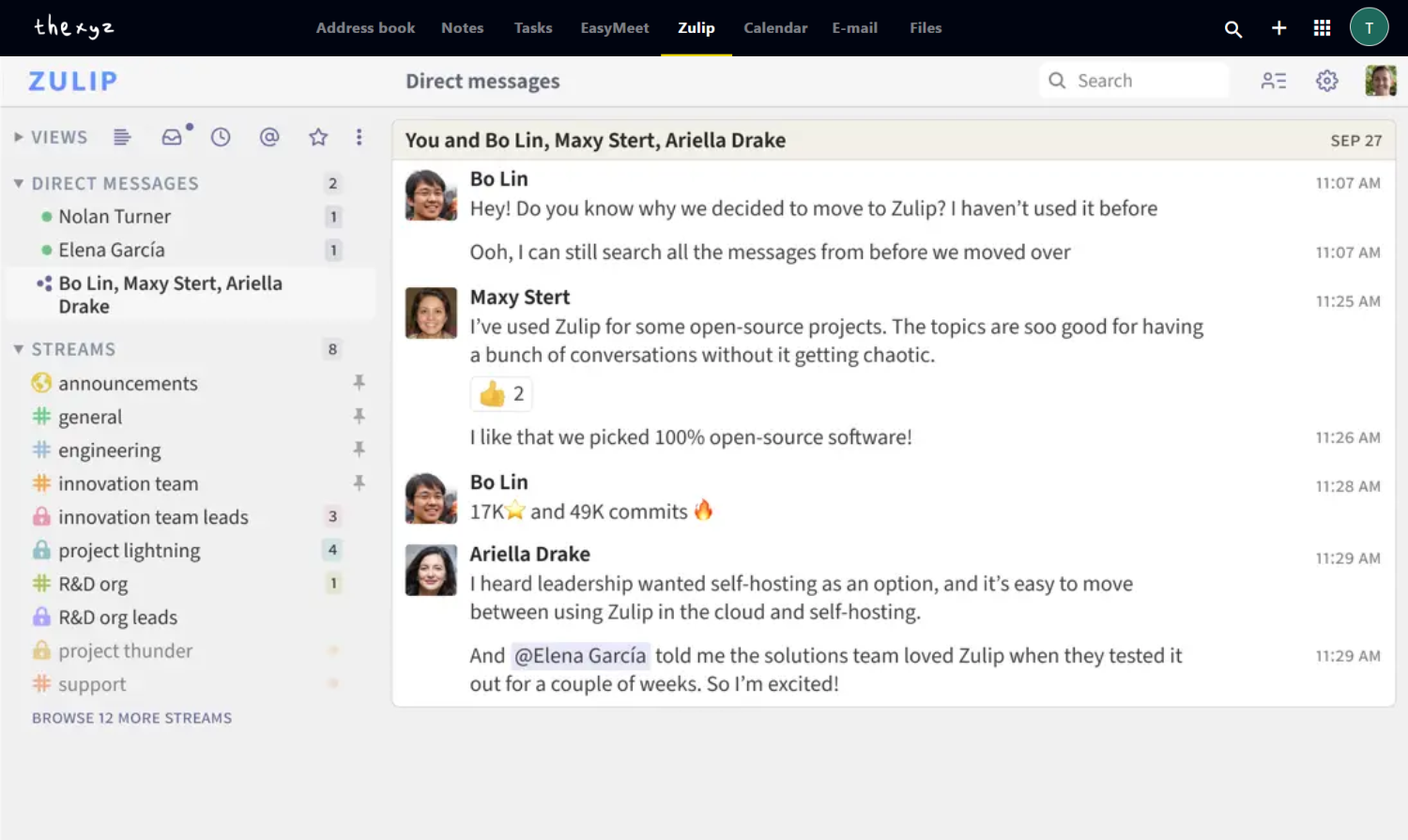
Bring order to team conversations
Built for teams that need speed and clarity—across projects, time zones, and departments. It’s the immediacy of chat with the clarity of email, fully integrated into your Webmail.
- Follow effortlessly: Each topic stays focused, like email subjects.
- Search is real: Find files, decisions, or links without scrolling forever.
- Readable messages: Formatting, code blocks, and previews make discussions clearer.
- Security-minded: Trusted by organizations that take privacy seriously.
What makes Zulip different?
Zulip keeps team chat from turning into noise. Messages don’t disappear into one endless stream—everything is categorized so your team can stay productive.
Conversations by topic
Every message has a stream + topic, so long discussions stay easy to follow.
- Track multiple projects at once
- Catch up quickly after time away
Find information fast
Search feels like “looking up the answer,” not “scrolling the chat history.”
- Locate decisions and links in seconds
- Pinpoint files without digging
Clarity in every message
Write clean updates, share code, and keep details incredibly readable.
- Formatting (bold, lists, headings)
- Code blocks + syntax highlighting
Attachments and previews
Drag and drop files to share instantly. Preview images, videos, and links right in the conversation without breaking your flow.
Enterprise-grade security
Zulip is trusted by organizations that take security seriously—making it ideal for teams who care deeply about privacy and data control.
Fully integrated with Webmail
No extra accounts to manage. Log in to your Thexyz Webmail and jump straight into your team’s conversations seamlessly.
Invite your team
Built for business
Getting started is simple
Add Enhanced accounts
From the Billing Panel, add Enhanced accounts to your subscription.
Upgrade mailbox type
From the Admin Panel → Users tab, switch mailboxes from Basic to Enhanced.
Add users to Zulip
From the Admin Panel → Zulip tab, add your users to the Zulip environment.
Log in from Webmail
In Webmail → Zulip tab, launch Zulip instantly with one click.
Frequently Asked Questions
Quick answers about streams, topics, and getting started.

Email That Works With Your Team
Discover collaboration tools, syncing options, and shared workflows built into Thexyz Email.
