How to add Yubikey Authentication to Thexyz

To add Yubikey authentication to your account login you must first purchase a Yubikey and then you can get your Yubico API key here. [here](https://upgrade.yubico.com/getapikey/ "here")

To get started, log in to your account at: https://www.thexyz.com/account/clientarea.php

Where it says "Hello, your name" at the top right, click on it to bring down the menu and select Security Settings.

You can click the button to enable Two-factor authentication.
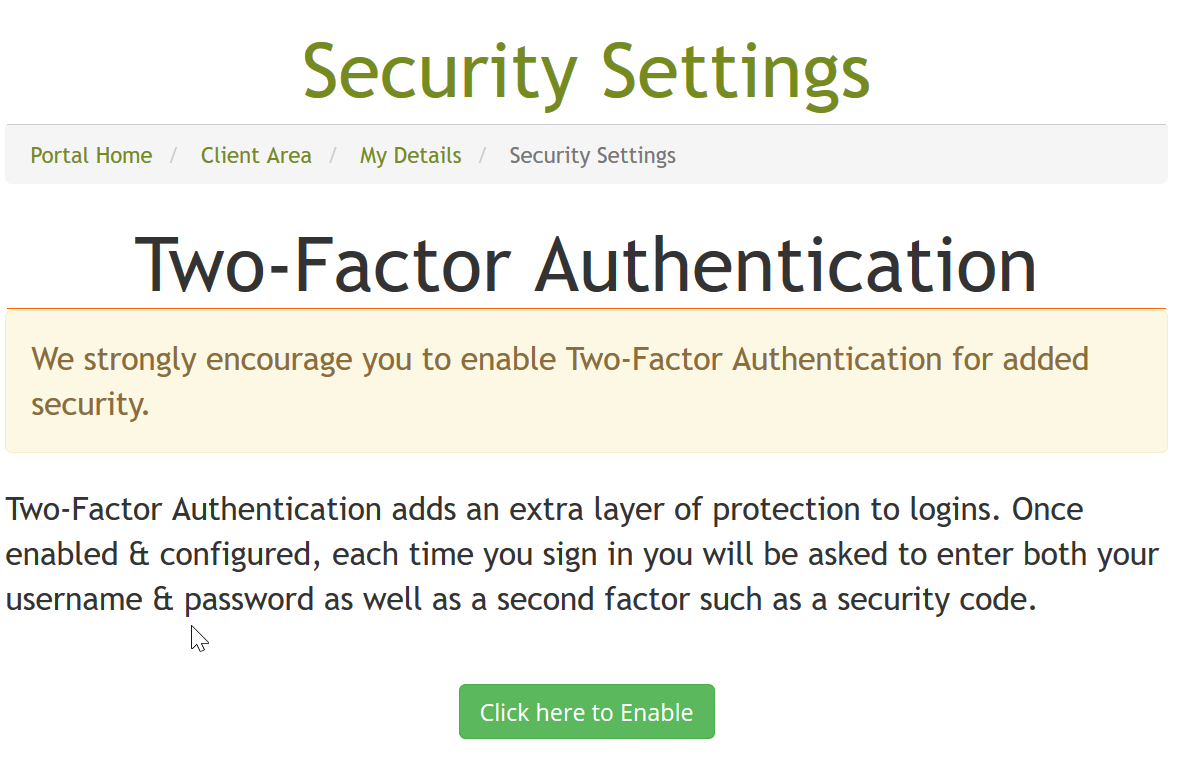
Yubikey setup

Enter your Yubikey into your computers USB drive and press the button to generate the password.
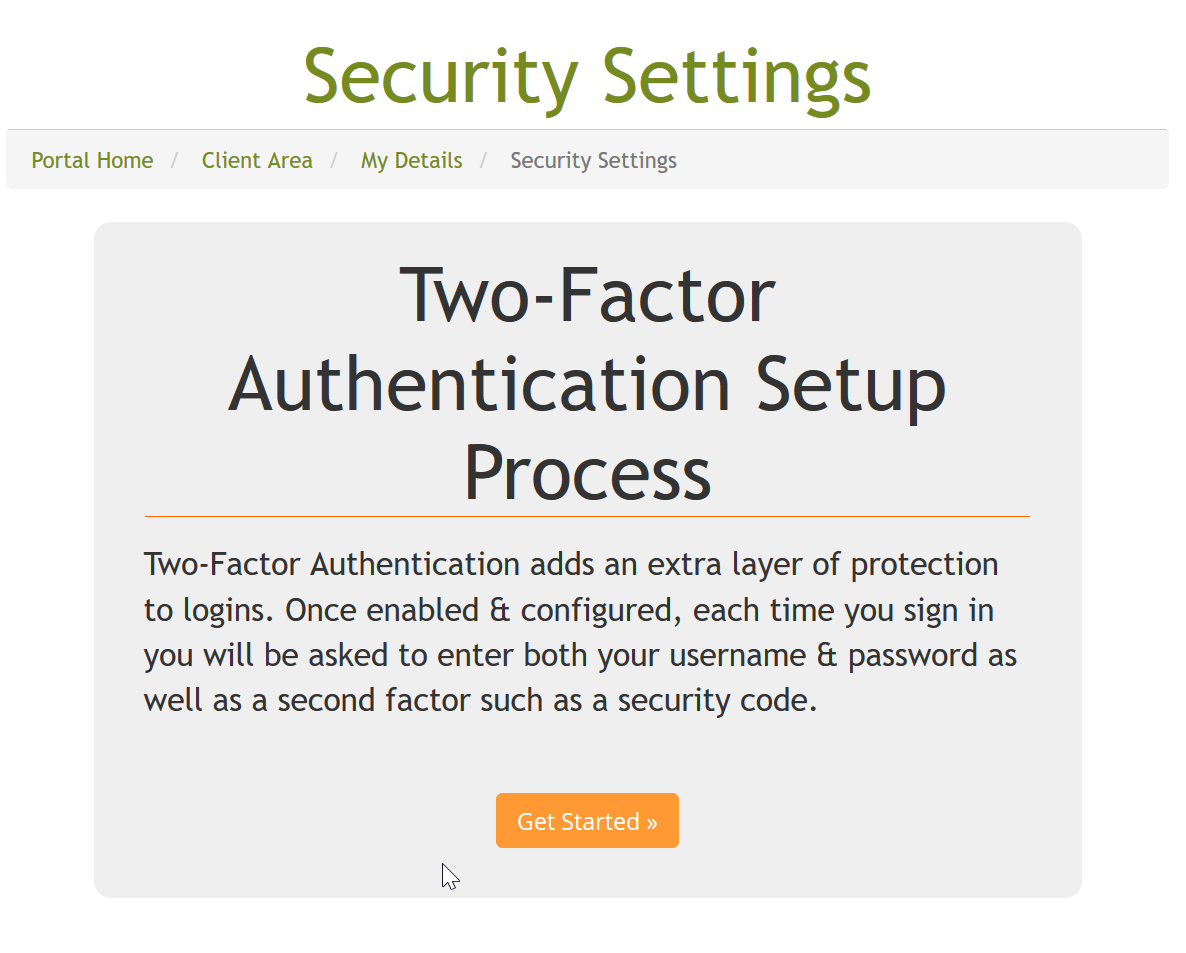
Yubikey setup

That's it, your Yubikey has been authenticated, be sure to take note of the pass code in case it is lost.
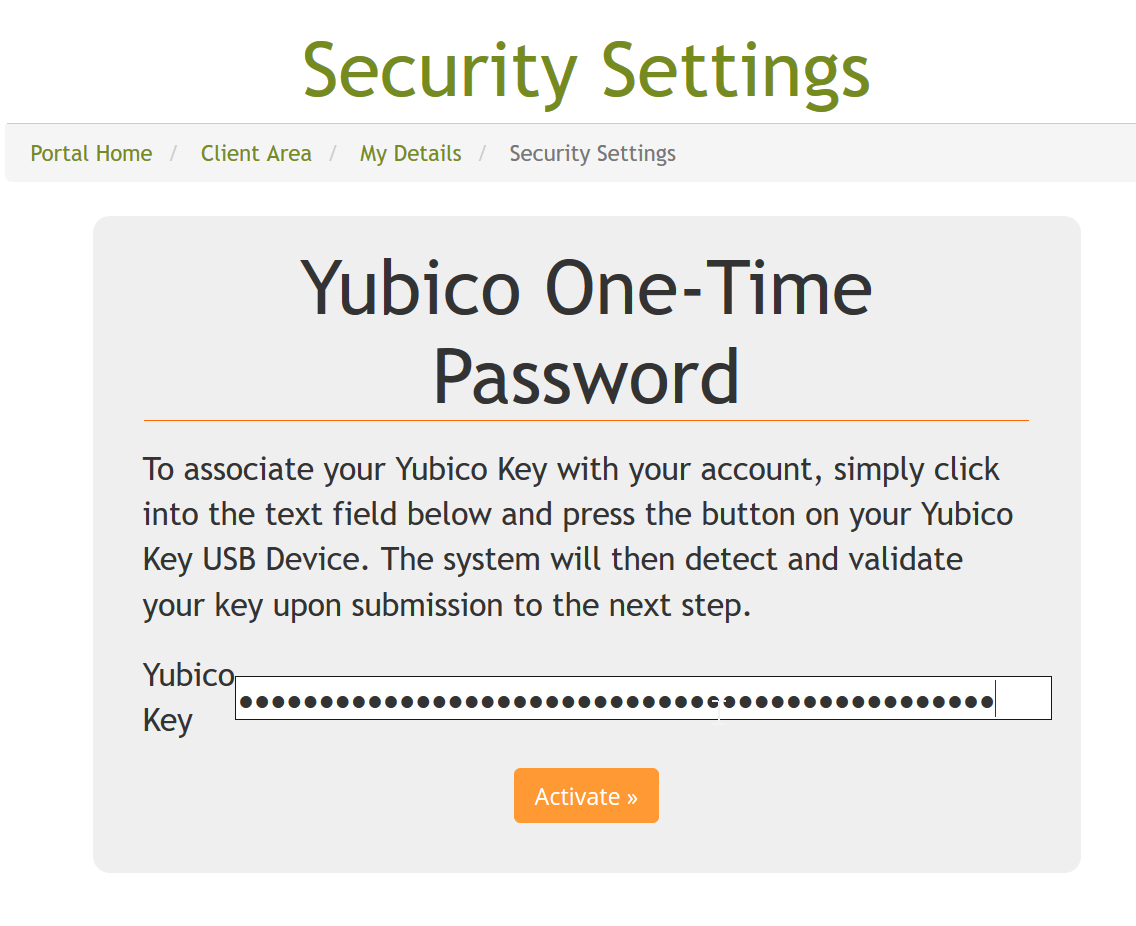
Yubikey setup

  • 2 istifadəçi bunu faydalı hesab edir
Bu cavab sizə kömək etdi?

Uyğun məqalələr

Enabling two-factor authentication

Setting up 2-factor authentication (or 2FA) provides a second line of defense. If your password...

Password Help

Understanding Your Passwords at Thexyz At Thexyz, you may have two different passwords. These...

Logging in with social media profiles

You can login to your account at Thexyz with Twitter, Facebook and Google. Before adding these...

Help, my website was hacked

Firstly don't panic, although it is a traumatic experience for any site owner when malicious code...

Blocking access to WordPress admin

Blocking access to your WordPress admin area is a great way to improve the security of your...
