
Protect your Email with DKIM (Domain Keys Identified Mail). DKIM adds a secure signature to your domain to authenticate emails sent from users in your company. DKIM is an industry best practice that increases the security of your email:
- Spend less time removing your domains from spam blocklists
- Spend less time working with users after they have fallen for phishing attempts
- Increase confidence and trust with email service providers that emails sent from your domain are not fraudulent
Setting up DKIM is easy and can be completed in less than 5 minutes. To enable DKIM on your domain, you must have access to your domain's DNS settings through a provider like GoDaddy, Network Solutions, 1and1, etc. To generate DKIM keys you will need to log in to the Email Administration Portal: https://admin.thexyz.com. Please note that the login page checks to see if 2FA is enabled. If prompted please type the characters from your authenticator app. The login here may also be blocked if our firewall systems have detected unusual traffic from your computer network. Please contact support if you have any trouble.
Once logged in you can click on Sender Authentication (DKIM)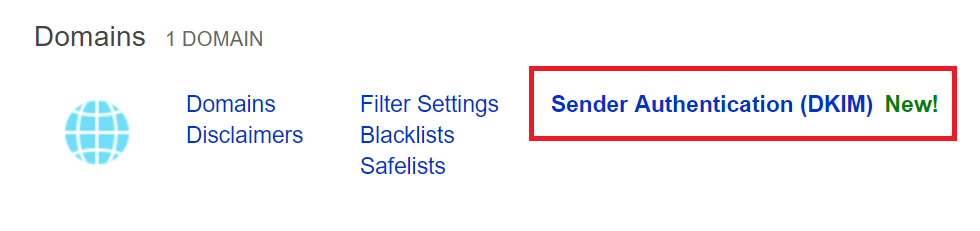
From the next screen you can click on the domain you wish to add DKIM Authentication to as picture below.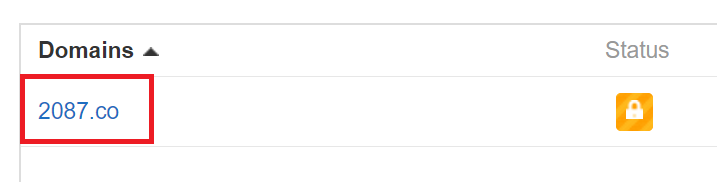
Click the button to enable DKIM for your domain name.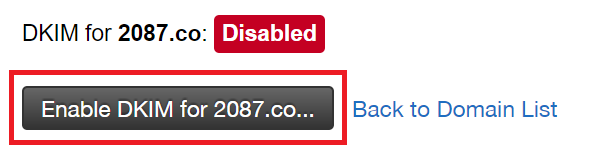
Once enabled you will see the TXT record DKIM to add to your domain. You can copy the record text to the clipboard and then edit your domain DNS settings. Once these changes have propagated (can take 1 to 24 hours depending on domain registrar) you will be able to validate the TXT record.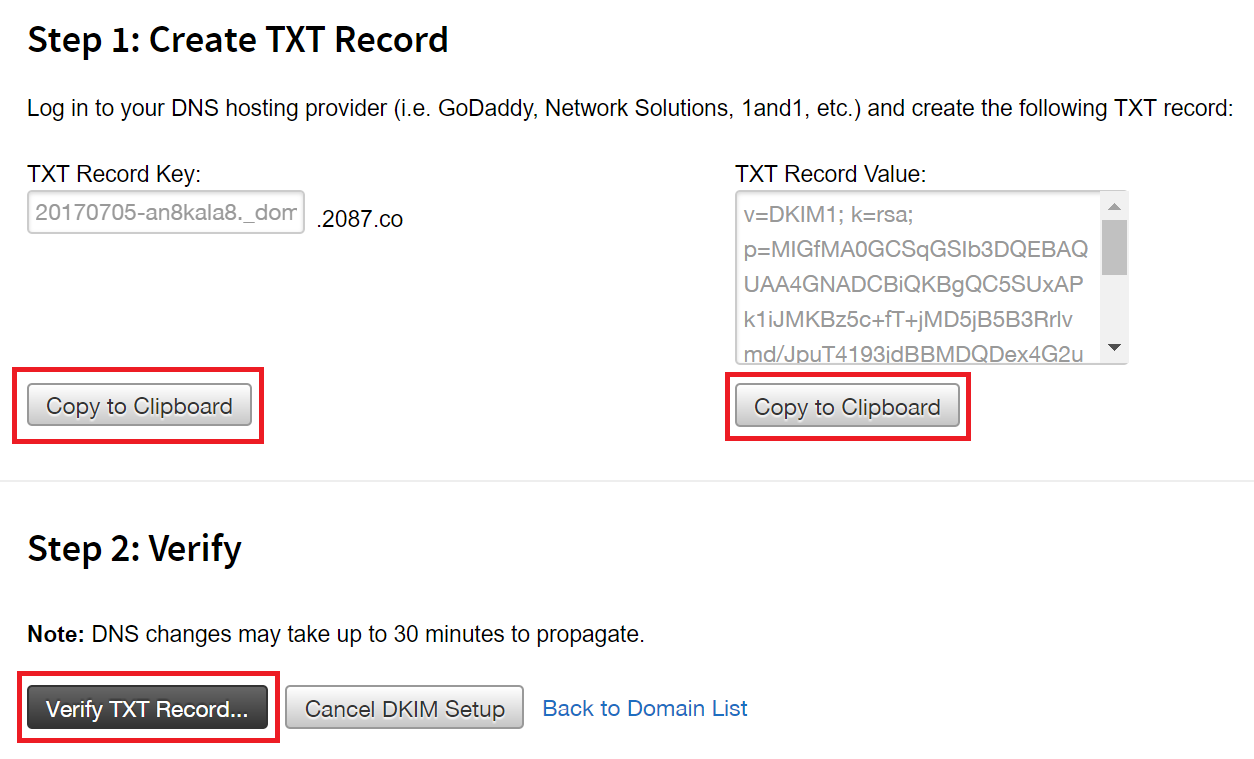
There are also guides created for adding these DNS records with the following domain registrars or DNS hosting services steps may vary depending on your provider.
DKIM and SPF are enabled mail settings by default on any email account domain from Thexyz.
