
Before you can send email using an alias, the alias must first be created in your account. If you have not done this yet, please follow this guide: How to create an email alias .
How to Send Email as an Alias in Webmail
Step 1: Log in to Webmail
- Go to mail.thexyz.com
- Sign in using:
- Your full email address (example:
you@yourdomain.com) - Your email password
- Your full email address (example:
Step 2: Compose a New Email
- Click Compose to start a new message.
- In the From address drop-down (top right of the compose window), select the alias you would like to send from.
- If you do not see your alias listed, click My Account and confirm the alias has been created and is active.
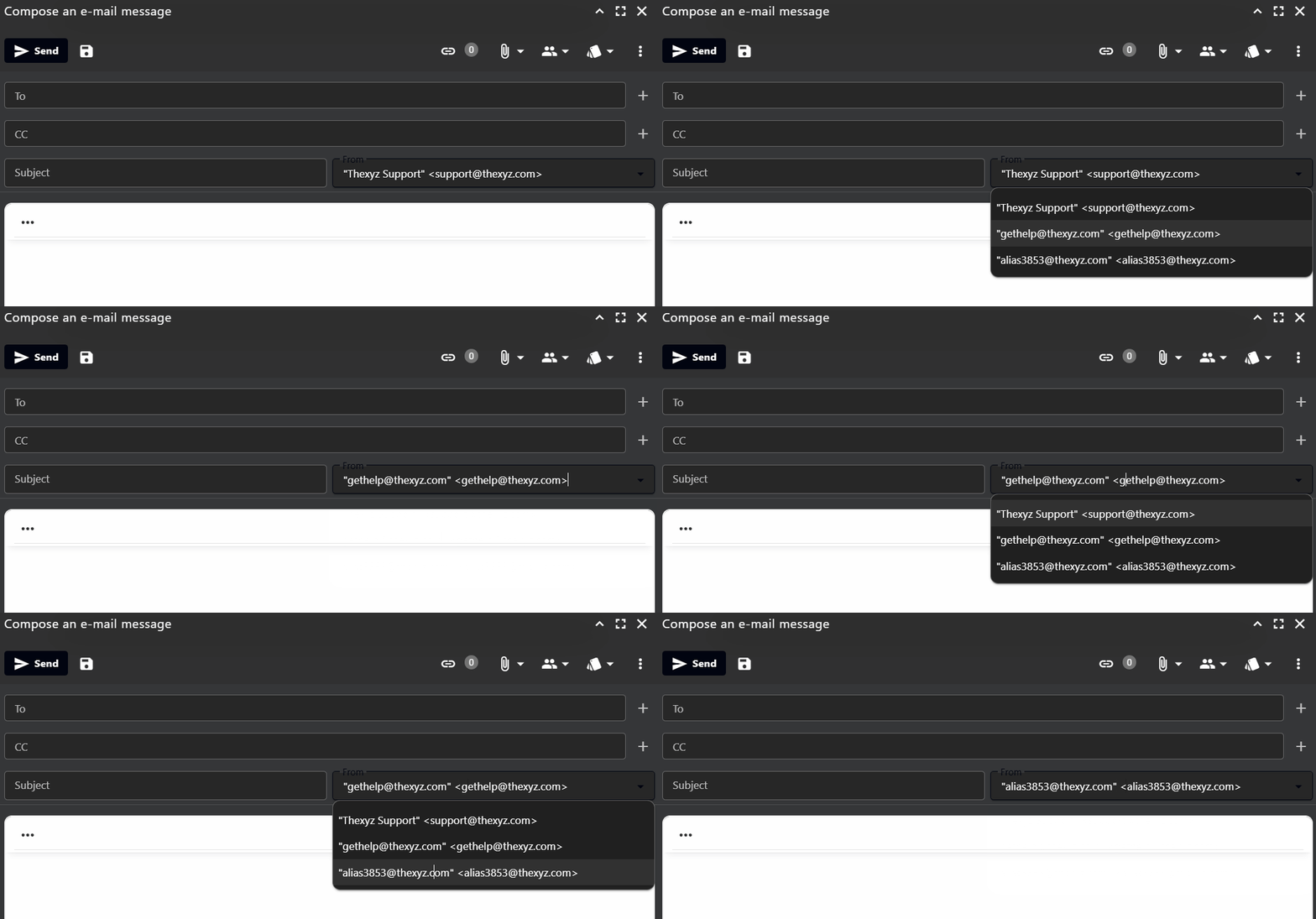
Once selected, emails you send will appear to recipients as being sent from the selected alias.
Frequently Asked Questions
Why is my alias not showing in the From drop-down?
This usually means the alias has not been created yet or was created very recently. Please confirm the alias exists in your mailbox settings. If you just created it, try logging out and back into Webmail to refresh the alias list.
Can I receive replies sent to my alias?
Yes. Replies will be delivered to your main mailbox automatically. An alias is simply another sending and receiving address connected to your mailbox.
Can I set my alias as the default sending address?
Yes. In Webmail, go to Settings → My Account and choose your preferred default sender address.
Do I need a separate password for an alias?
No. Aliases do not have their own passwords. You sign in using your main mailbox credentials and can send from any alias connected to your account.
