How to disable Yubikey Authentication to Thexyz

This article will show you how to disable Yubikey authentication to your account. If you are looking to add a Yubkey, please refer to the guide on adding a Yubikey to Thexyz.

To get started, log in to your account at: https://www.thexyz.com/account/clientarea.php

Where is says "Hello, your name" at the top right, click on it to bring down the menu and select "Security Settings."

You can click the button to disable Two-factor authentication.
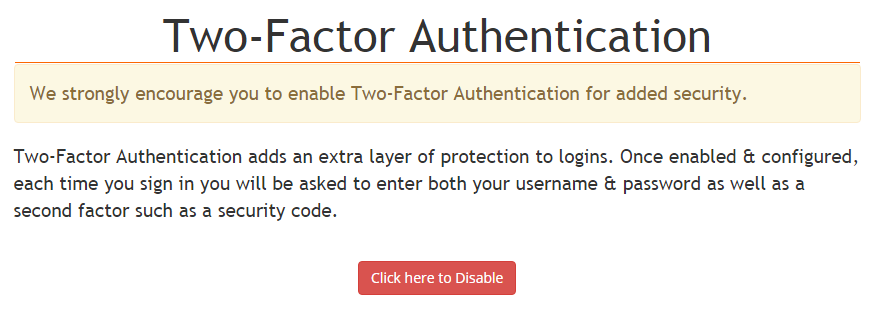
Yubikey key

You will then need to enter the password used to login to your billing account at Thexyz.

Yubikey security

Once authenticated you will see a notice that two-factor authentication has been disabled.
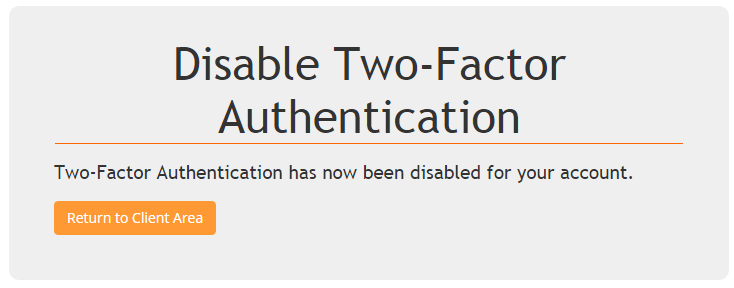
disable a Yubikey

  • 5 Korisnici koji smatraju članak korisnim
Je li Vam ovaj odgovor pomogao?

Vezani članci

Enabling two-factor authentication

Setting up 2-factor authentication (or 2FA) provides a second line of defense. If your password...

Password Help

Here at Thexyz we take your account security very seriously and want to make it easy for you to...

Logging in with social media profiles

You can login to your account at Thexyz with Twitter, Facebook and Google. Before adding these...

Help, my website was hacked

Firstly don't panic, although it is a traumatic experience for any site owner when malicious code...

Blocking access to WordPress admin

Blocking access to your WordPress admin area is a great way to improve the security of your...
