
Use email filtering to have Webmail automatically organize your incoming email.
To add a new filter:
Login to Webmail[: https://webmail.thexyz.com and go to the email settings menu, found on the right corner.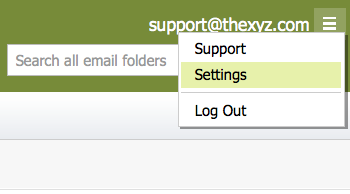
1. Click the Add New Filter button.
2. Enter a Filter Name.
3. Enter filtering criteria:
From - Email from these addresses will be filtered.
To/Cc - Email sent or carbon copied to these addresses will be filtered.
Subject - Email with a subject line that contains, doesn’t contain, or begins with the entered words or phrases will be filtered.
Body - Email with a body that contains or doesn’t contain the entered words or phrases will be filtered.
4. Indicate what action you want the filter to perform on the emails that match the criteria you indicated:
Move to folder - Check to have filtered email moved to a folder selected in the drop-down menu. Click the New Folder button to create a new folder for the filtered email.
Forward to - Check to have a filtered email sent to the entered email address.
Delete immediately - Check this to have filtered email automatically deleted.
5. Click the OK button. The filter will appear in the Current Filters section.To edit an existing filter, click once on the filter, as it appears in the Current Filters section, and click the Edit button.To delete an existing filter, click once on the filter, as it appears in the Current Filters section, and click the Delete button.
Note: If you are using email software (Outlook, Mac Mail, eM Client, etc.) with a POP3 connection, your email software only downloads emails that are stored in your Inbox folder. If you use email filters to move emails into another folder, those emails will not be downloaded by your POP3 email software.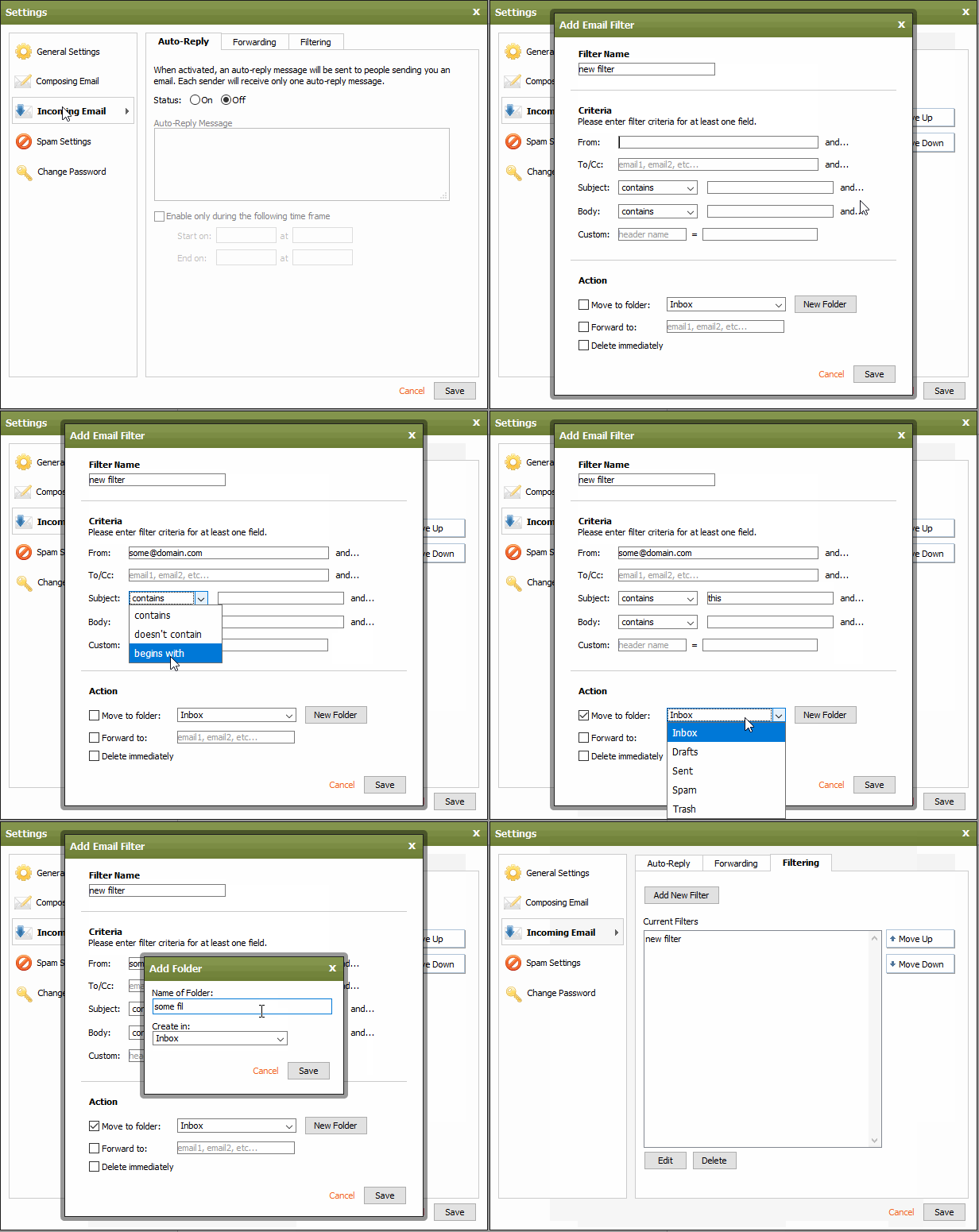
Baza wiedzy
- 132 klientów oceniło tę informację jako przydatną
