Adding an auto-reply message to your incoming emails

Easily set up automatic replies to incoming emails with our auto-reply feature. To use the auto-reply feature to set up messages that are automatically sent to any person who sends you an email.

Login to Webmail: https://webmail.thexyz.com and go to the settings tab on the right.
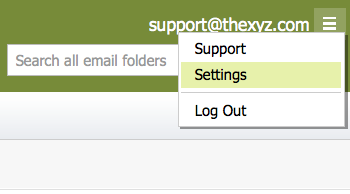
Webmail Settings

Status - Turn auto-reply on or off.

Auto-Reply Message - Enter your outgoing message.

Enable only during the following time frame - Check to have auto-reply only function during a specific time period.

Start on - Select start date and time.

End on - Select end date and time.
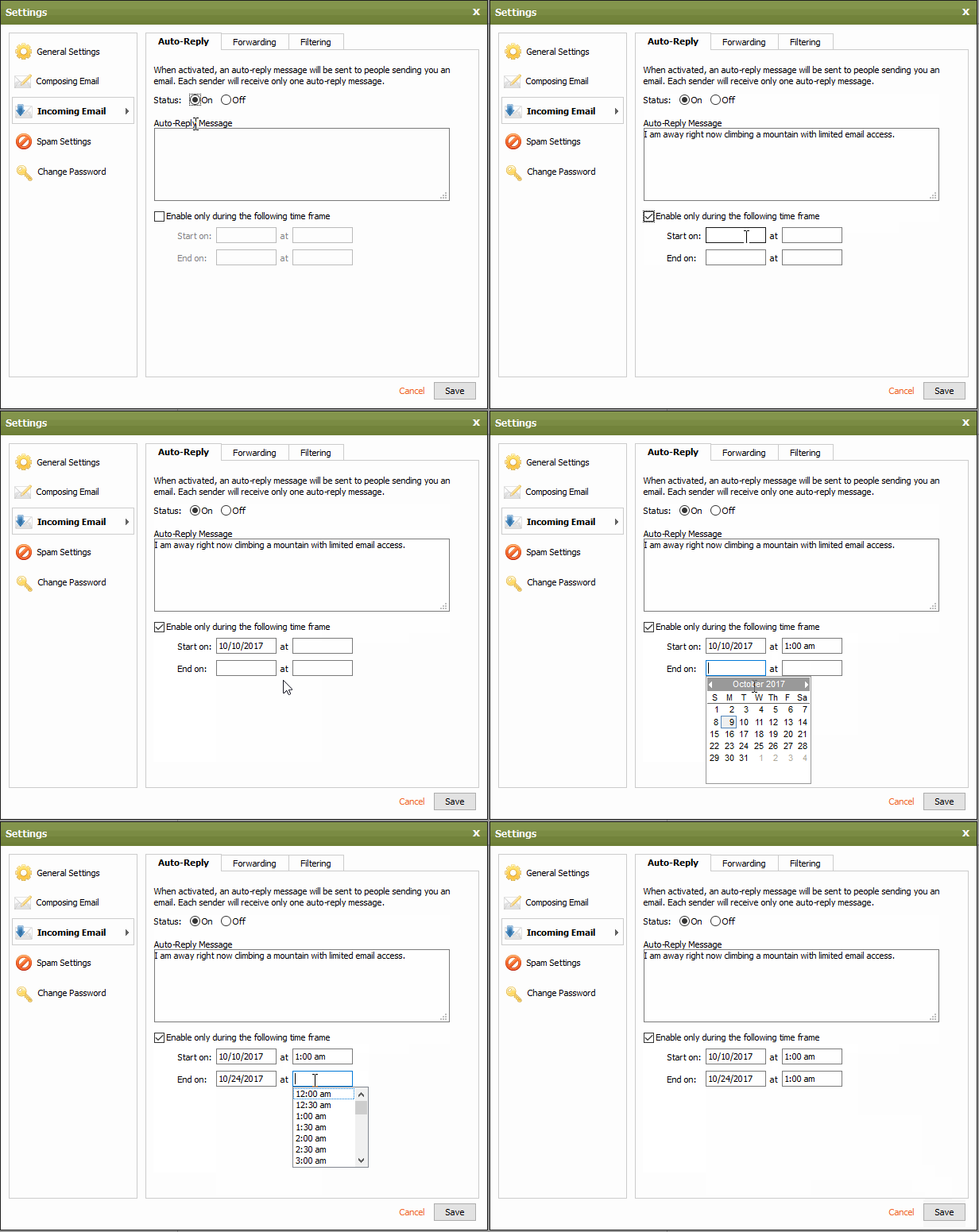
Auto-Response setup

  • 52 Els usuaris han Trobat Això Útil
Ha estat útil la resposta?

Articles Relacionats

I'm having issues composing messages in Webmail

If you're having issues composing mail in Webmail, there are a few things you can try: Make...

I am unable to log in to Webmail

If you are still unable to access Webmail, try the following troubleshooting steps: Verify the...

Webmail keyboard shortcuts

When you login to Webmail, your premium webmail account includes various keyboard shortcuts....

Setup SMS password reset for Webmail

Email password resets for Webmail require SMS verification or Multi-Factor Authentication. If you...

Searching for an Email

When you are in an email folder (Inbox, Drafts, Sent, etc.), the Search box will appear above the...
