
EasyMeet is a built-in scheduling and meeting feature available with Thexyz Email. It allows you to share booking links, let others schedule time with you, and automatically sync those meetings with your calendar — blocking out conflicts so you’re never double-booked.
EasyMeet also includes secure video meetings powered by Jitsi, with no third-party accounts or tracking required.
What EasyMeet Does
With EasyMeet, you can:
-
Create public or private booking links
-
Define your working hours and availability
-
Automatically block out existing calendar events
-
Prevent double bookings
-
Host secure video meetings
-
View, manage, and cancel bookings from one place
Everything stays in sync with your existing calendar.
How Calendar Sync Works
EasyMeet connects directly to your calendar and respects:
-
Existing meetings
-
Personal appointments
-
Busy / unavailable time
-
Custom availability rules
If you already have something on your calendar, EasyMeet automatically blocks that time so others can’t book over it.
You stay in control — EasyMeet works with your calendar, not around it.
Set Your Availability
Before sharing booking links, you define when you’re available.
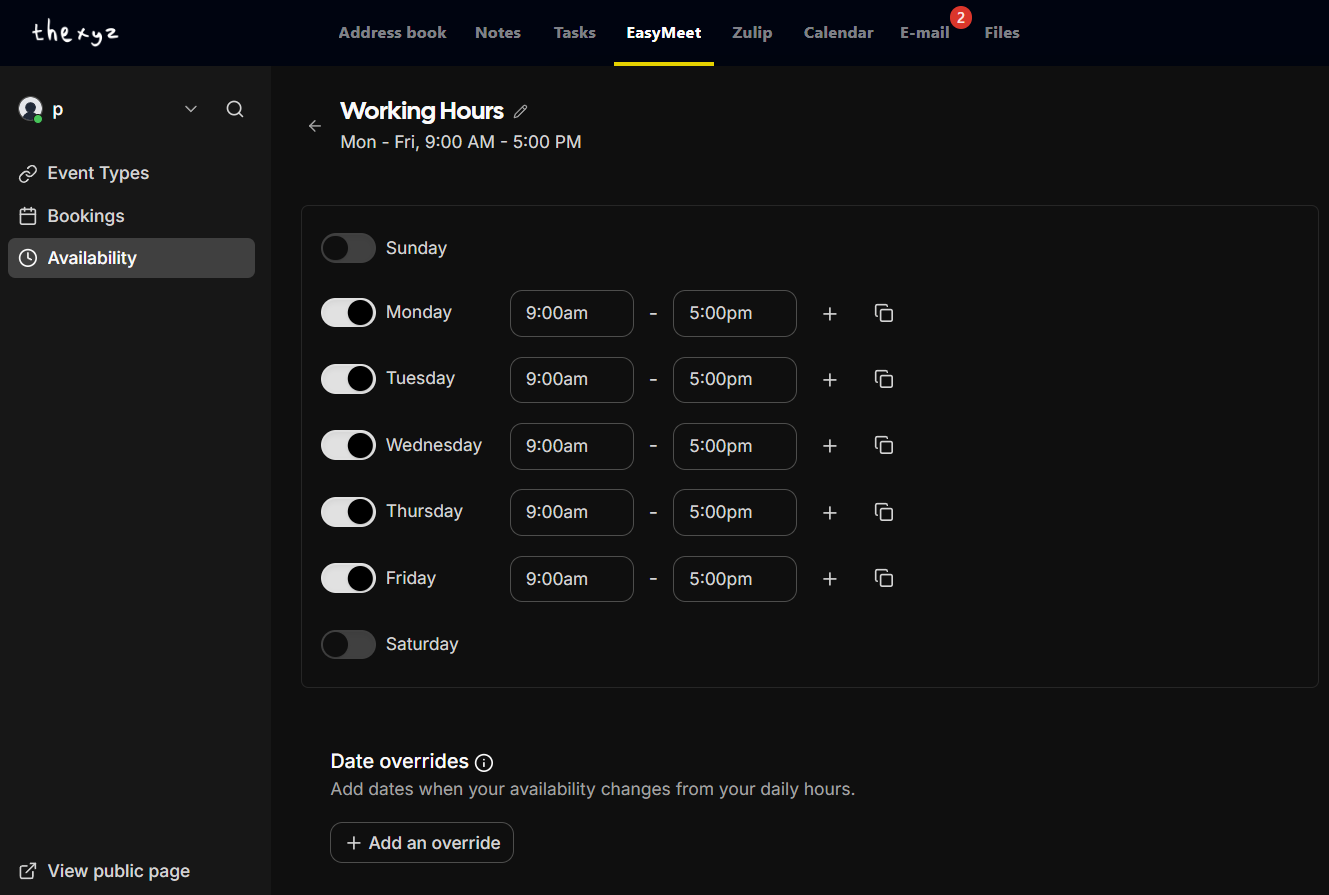
What You Can Configure
-
Working days (e.g. Monday–Friday)
-
Start and end times
-
Multiple time ranges per day
-
Date-specific overrides (holidays, time off, special hours)
This ensures bookings only happen when you want them to.
Create Event Types (Booking Links)
Event Types are the different kinds of meetings people can book with you.
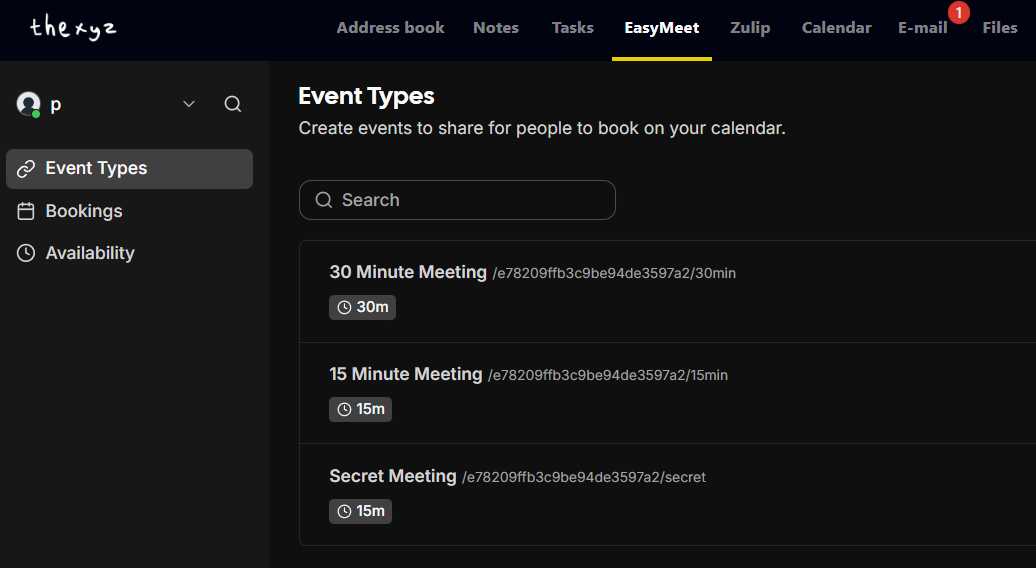
Examples
-
15-minute meeting
-
30-minute consultation
-
Private or secret meeting link
Each event type has:
-
Its own duration
-
Its own booking link
-
Its own availability rules
You can share these links by email, chat, or on your website.
Manage Your Bookings
All scheduled meetings appear in one central place.
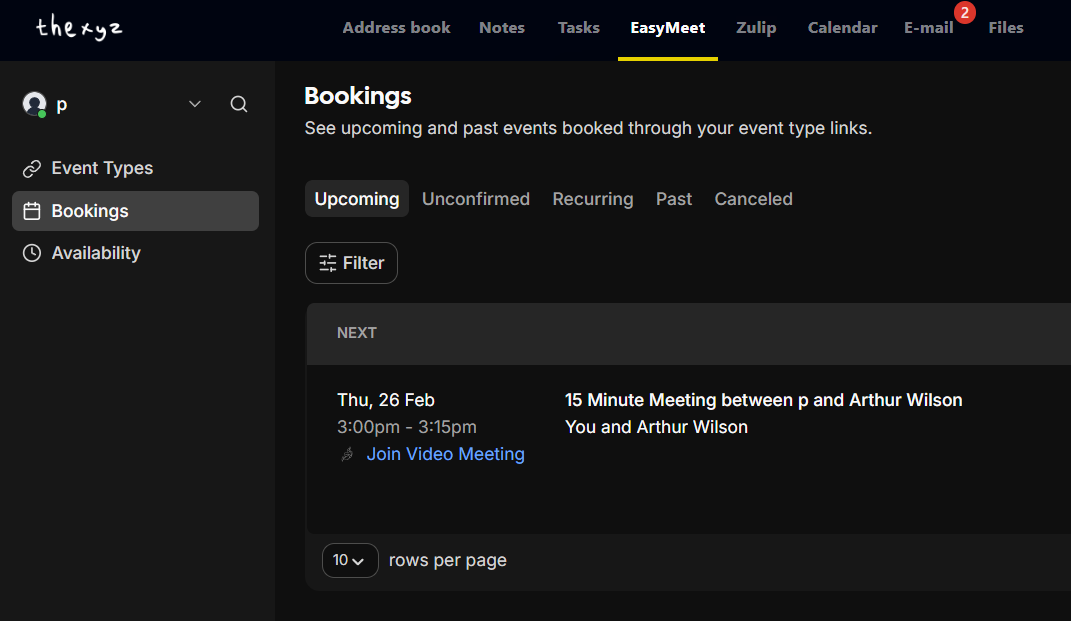
From the Bookings view, you can:
-
See upcoming meetings
-
View past or canceled meetings
-
Filter by status (upcoming, unconfirmed, recurring, past)
-
Join video meetings with one click
-
Cancel or reschedule when needed
Built-In Video Meetings (Powered by Jitsi)
Every EasyMeet booking can include a secure video meeting room.
Key Benefits
-
No downloads required
-
No external accounts needed
-
End-to-end encrypted sessions
-
Hosted privately
-
One-click “Join Video Meeting”
This makes EasyMeet ideal for:
-
Client calls
-
Interviews
-
Support sessions
-
Internal team meetings
Why EasyMeet Is Different
Unlike external scheduling tools, EasyMeet is:
-
Fully integrated with Thexyz Email
-
Privacy-first (no tracking, no ads)
-
Automatically synced with your calendar
-
Included — no third-party subscriptions required
You don’t need to manage multiple tools or worry about conflicts.
Common Use Cases
-
Share a booking link with clients
-
Let customers schedule support calls
-
Coordinate meetings across time zones
-
Replace third-party schedulers
-
Keep your calendar clean and accurate
Summary
EasyMeet gives you:
-
Smart scheduling
-
Calendar-aware availability
-
Secure video meetings
-
Simple booking links
-
Full control over your time
All directly inside Thexyz Email.
