
Use the Identities feature to make changes to your display name, email address, and reply address when sending an email. You can also use identities to select your default email signature.
To add a new identity login and Webmail and click the 'hamburger icon' on the top right to bring up the settings menu. From Settings select Composing Email and follow the steps below.
1. Click the Add New Identity button.
2. Enter your display name and email address in the spaces provided, as needed.
3. In the Reply To box, enter the address you want recipients to use when they reply to an email you have sent.
4. Click the OK button.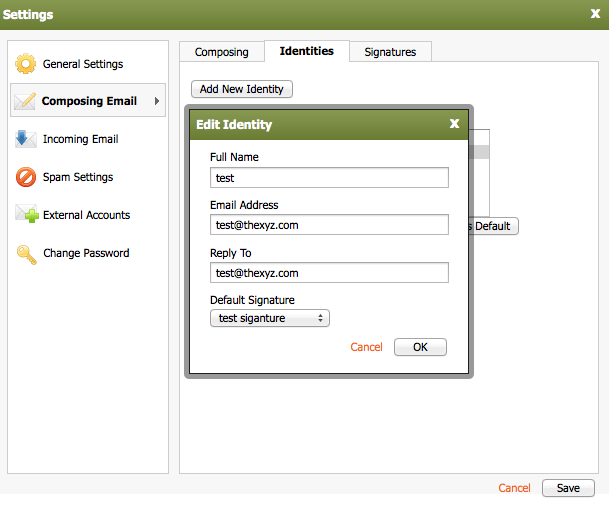
To edit an identity, select an identity, and click the Edit button.
To delete an identity, select an identity, and click the Delete button.
To set an identity as the default, select an identity, and click the Set as Default button.
Knowledgebase
- 34 Users Found This Useful
