Schedule emails to send at the perfect time
Email that works smarter — Send Later, Undo Send & 50GB mailboxes.
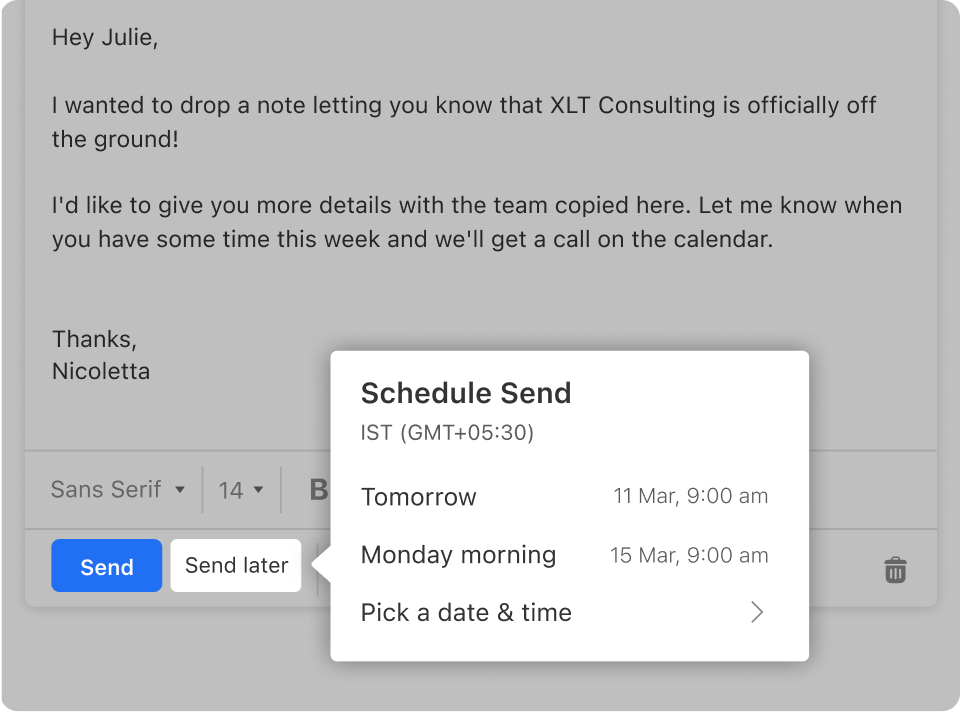
Titan Email at Thexyz gives you precise control over how your messages work. Draft emails anytime and use Send Later to deliver them at the exact moment they’ll have the highest impact.
Made a mistake or changed your mind? Undo Send lets you retract an email seconds after sending — a simple safeguard that prevents accidental messages from becoming permanent problems.
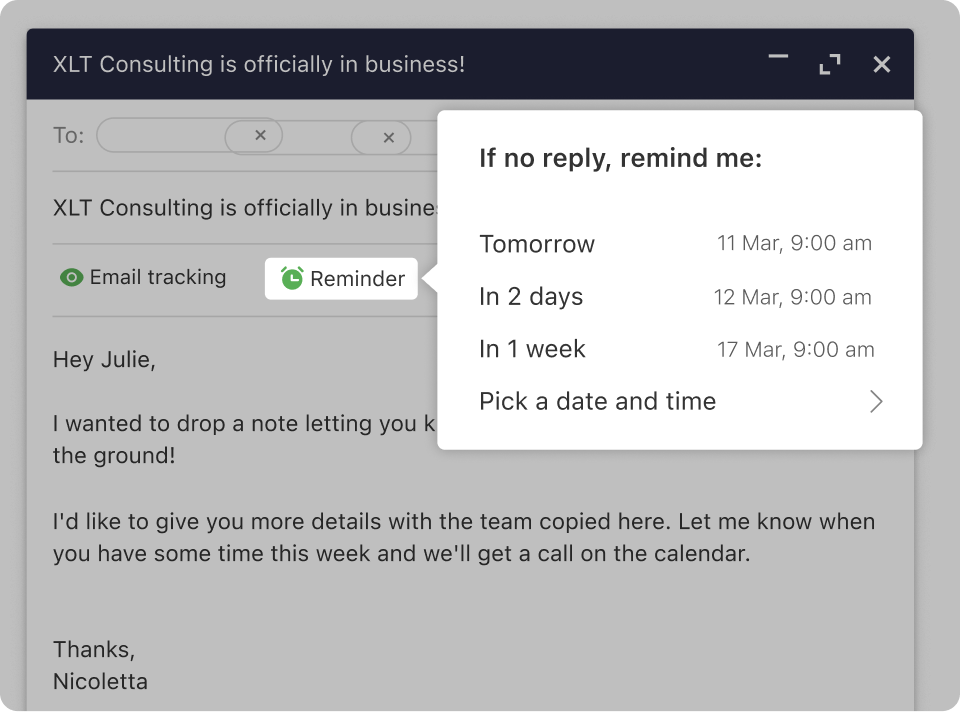
Stay organized with Follow-Up Reminders, monitor engagement with Read Receipts, and enjoy the space to store years of communication with a generous 50GB mailbox per account.
Use professional email addresses on your own domain (you@yourcompany.com) to build trust with customers and partners.
Send mail from fast, modern webmail or your favorite clients like Outlook, Apple Mail, and mobile apps.
Track key conversations with read receipts and follow-up reminders so important messages never fall through the cracks.
Use templates and smart replies to respond faster to frequent questions and save time every day.
Create shared mailboxes and aliases for teams (sales@, support@, info@) without exposing personal addresses.
Stay synced everywhere with Titan’s dedicated mobile apps plus IMAP/SMTP support across all major devices.
Plan your day with an integrated calendar – schedule meetings, send invites, and manage events directly from your inbox.
Keep all your contacts synchronized and organized so your customer and vendor details are always up to date.
Use folders, labels, filters, and rules to automatically sort messages into the right place as they arrive.
Find what you need instantly with powerful search across mailboxes, folders, and attachments.
Sync seamlessly between web, desktop, and mobile so you can start a conversation on one device and finish on another.
Upload and share attachments safely with generous mailbox storage tailored to business use.
Move from providers like Gmail™, Outlook.com, cPanel, old IMAP servers, and more – we support most major platforms.
Migrate entire mailboxes including folders, messages, and headers, preserving your existing structure and history.
Minimize downtime with staged migrations: we sync in the background and schedule cutover when it works best for your team.
Verify every mailbox before switching DNS so users can log in and confirm all data is present before go-live.
Get clear migration status updates – in progress, queued, or complete – so you always know where things stand.
Let Thexyz specialists handle the heavy lifting: we assist with planning, DNS changes, and post-migration checks.
Advanced spam and malware filtering keeps your inbox clean while blocking known threats before they reach users.
TLS encryption in transit helps protect email as it travels between servers and devices.
Support for authentication standards like SPF, DKIM, and DMARC helps prevent spoofing and improves deliverability.
Account security features help protect against unauthorized access and reduce the impact of compromised devices.
Hosted on robust infrastructure with high availability and redundant storage to keep your email online and responsive.
Optional long-term retention and archiving options help support compliance or internal record-keeping policies.
Get help from Thexyz’s support team for both Titan Email usage and migrations – we’re here to guide you end to end.
Access documentation and onboarding guides to help users switch clients, update devices, and learn new features quickly.
We help you communicate the migration plan to your team so everyone knows what to expect and when.
If something looks off after migration, we’ll investigate mailbox-by-mailbox and correct issues wherever possible.
Monitor adoption and usage so you can see which teams have fully transitioned and where extra training might help.
Our goal is a clean cutover: mail flowing to Titan, users comfortable in the new interface, and no important data left behind.
Choose Titan Email at Thexyz and migrate with confidence.
View plans, mailbox options, and migration assistance packages.
Renews at $1.30/acc/mo
Renews at $1.84/acc/mo
Renews at $4.73/acc/mo
Do More with Our Enterprise plan
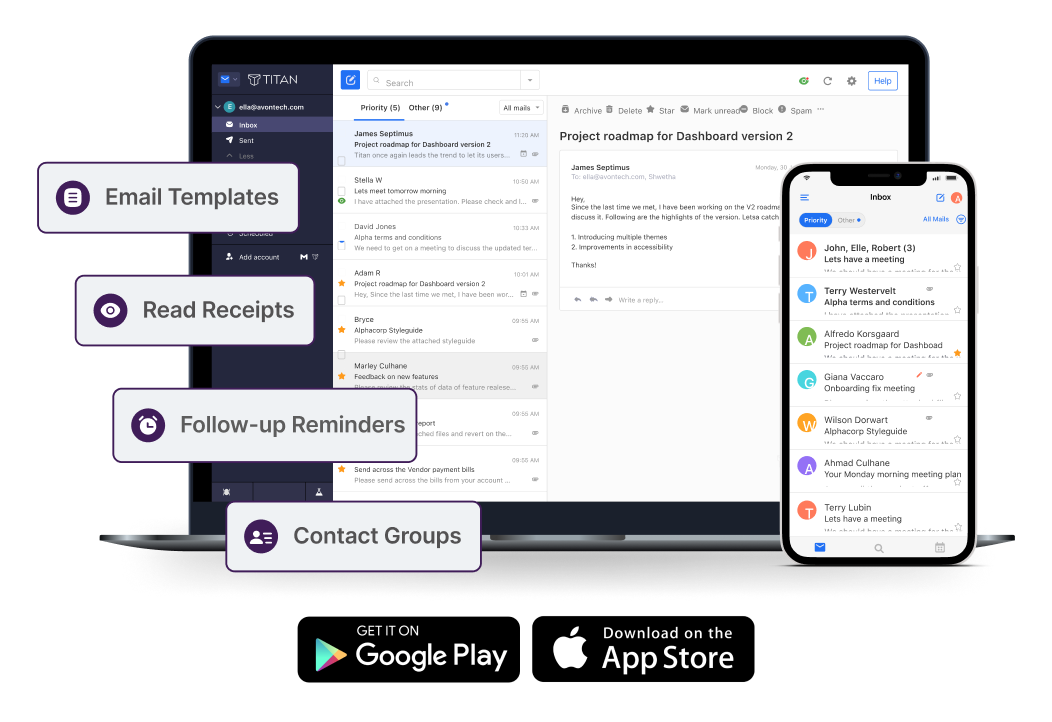
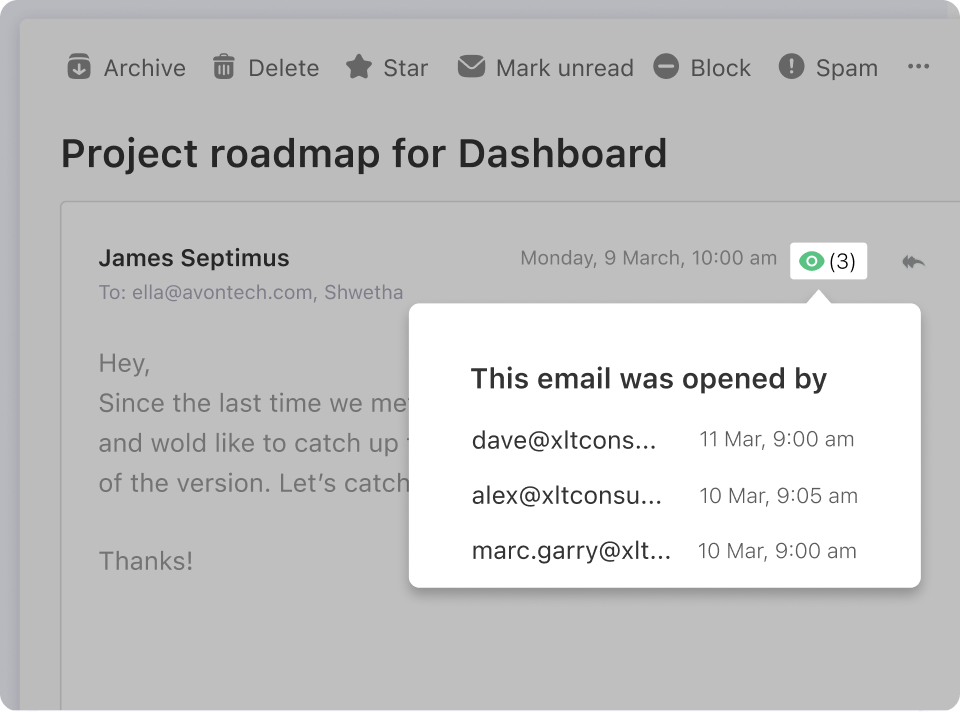
Know when your emails are read
Don't lose sleep wondering if your prospect read that crucial quote. Get notified the moment your email gets opened with powerful Read Receipts.
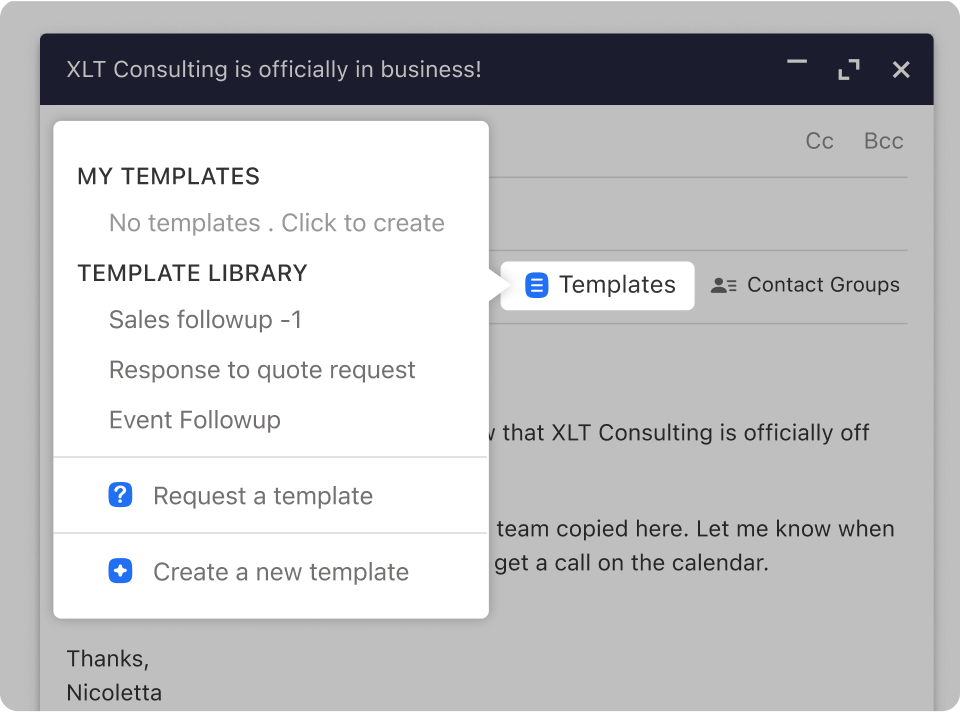
Don't reinvent the wheel for every email
Save time by turning your frequently sent responses into reusable templates. Enterprise makes it easy to build a library of high-performing messages.
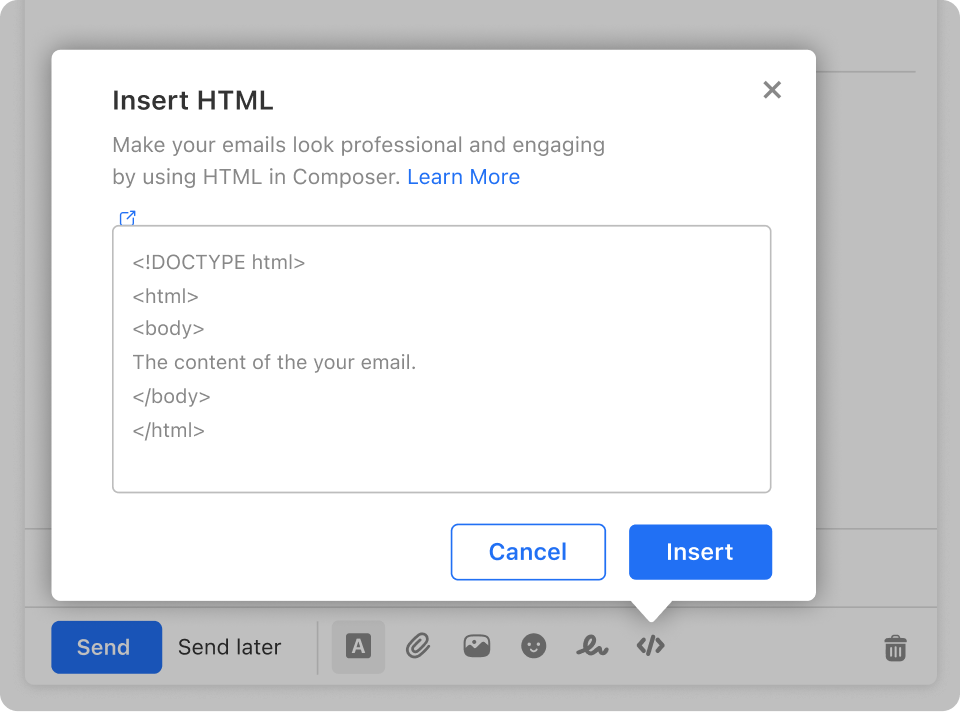
Generate a higher customer response rate
Make your emails more visually engaging. Use HTML to add forms, CTA buttons, banners, and other interactive elements that drive clicks and conversions.
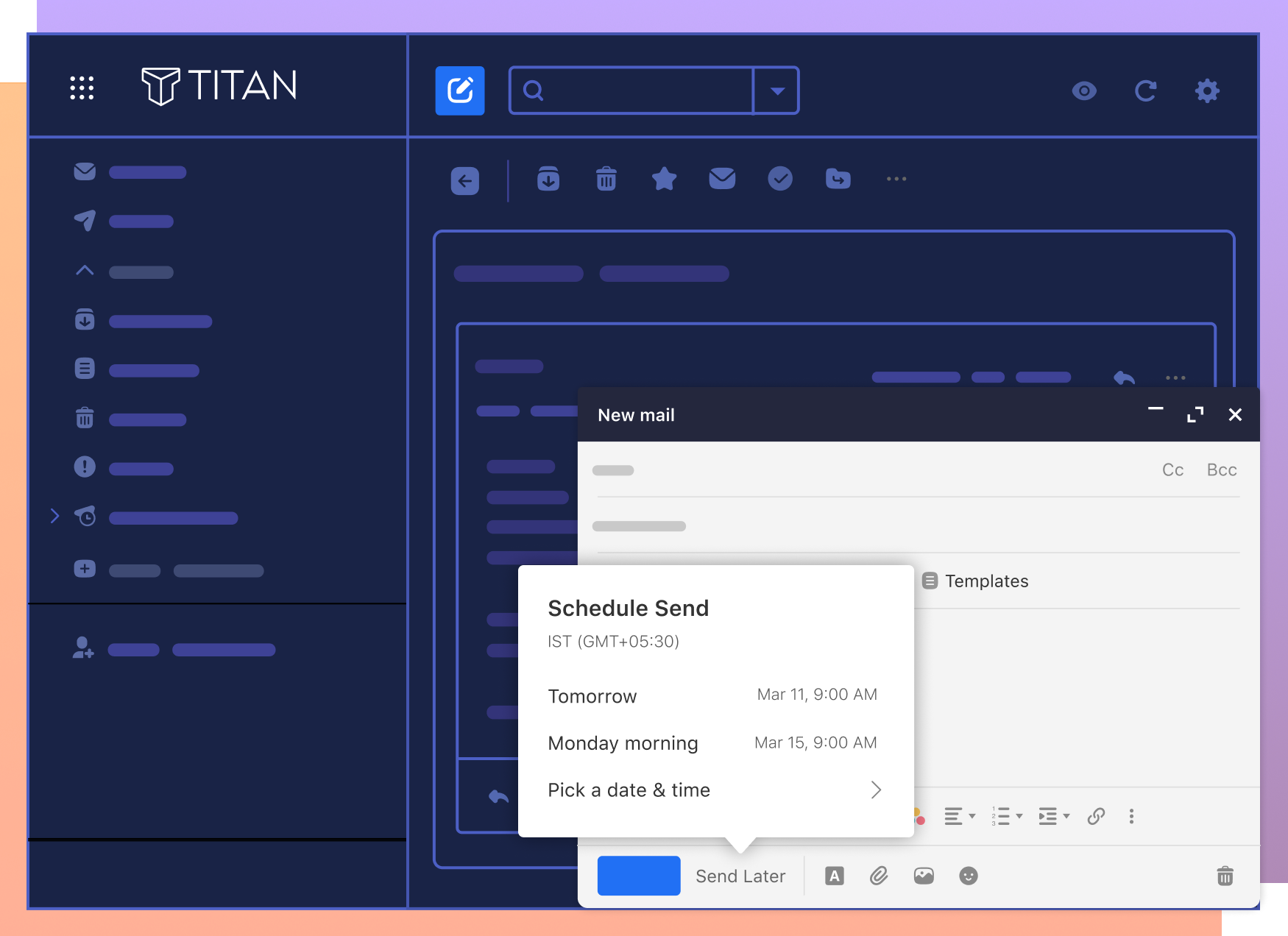
Write now, send later
Draft emails when it suits you, then schedule them to be delivered at the perfect time for your recipient—no more midnight send times or missed windows.
Follow up on time, every time
Never let important deals or conversations go cold. Set Follow-up Reminders so Titan nudges you to check back in at exactly the right moment.
Focus on what matters
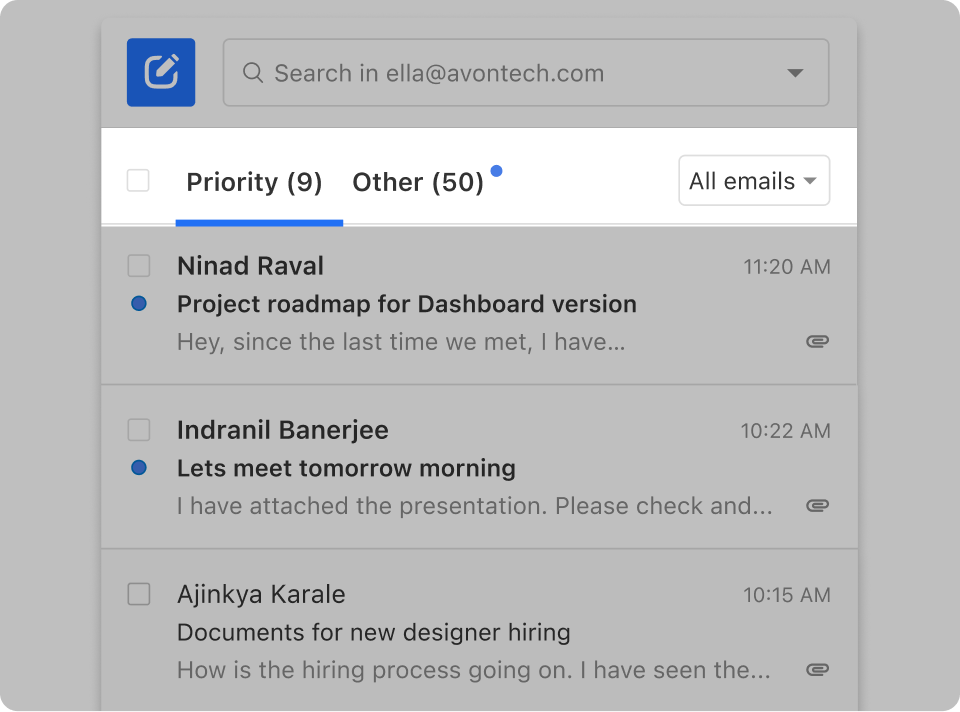
With Priority Inbox, Titan automatically surfaces your most important messages based on mailbox behavior so you can respond faster and stay in control.
Save time when sending emails
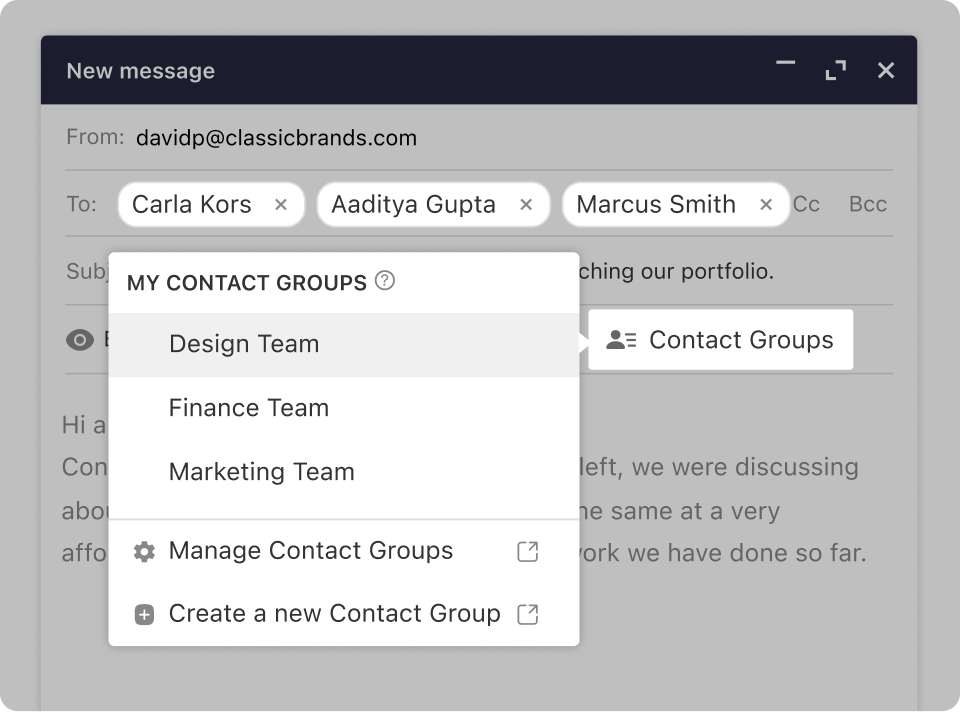
Group frequently emailed recipients into Contact Groups to reach them simultaneously. No more adding the same set of addresses one by one.
Frequently Asked Questions
Have questions about Titan Email or our migration service?
Titan Email is a modern business email platform that provides professional email addresses on your own domain, along with features like calendars, contacts, mobile apps, and advanced productivity tools. Thexyz bundles Titan with our infrastructure and support so you can run your business email reliably and securely.
Yes. Our migration service can move messages, folders, and contacts from many providers including Gmail™, Outlook.com, Yahoo!®, cPanel/IMAP servers, and other hosts. We’ll help plan the migration, perform test runs if needed, and coordinate cutover so your team experiences minimal downtime.
Our goal is to bring everything over: folders, messages, and your existing structure. We recommend keeping the source account available during migration so we can verify counts and run incremental syncs if necessary. If any discrepancies are detected, we’ll work with you to re-sync or copy what’s missing wherever possible.
You can use Titan’s webmail interface, dedicated mobile apps, or configure IMAP/SMTP in clients like Outlook, Apple Mail, and many others. Most modern email apps that support IMAP will work with Titan Email.
Migration time depends on how many mailboxes you have and how much data needs to be moved. Smaller moves can complete in a few hours, while larger projects may take longer. We’ll provide an estimate once we understand your current environment and will schedule cutover to minimize impact on your business.
We aim to keep downtime close to zero. Most of the data transfer happens in the background while your existing email continues to work. At cutover, we update DNS so new mail starts arriving at Titan. There may be a short window while DNS propagates, but we’ll plan this with you to minimize disruption.